Data tools
Inspect local data without leaving Orbit.
Mail, database, and object storage views read from the running service engines used by your projects.
Capture outgoing messages in the local inbox.
Mail uses the Mailpit service API. It lists captured messages, opens message detail, tracks read state, deletes messages, and fetches message parts for previews and attachments.
- Start Mailpit from Services or from a project that needs mail capture.
- Point the app SMTP configuration at the host and port shown in Mail.
- Trigger the email flow in the local app.
- Open the captured message in Orbit to inspect body, headers, and attachments.
- Mailpit must be running before the inbox can load.
- Apps should send SMTP to 127.0.0.2 on the Mailpit SMTP port.
- No messages usually means the app mail configuration still points elsewhere.
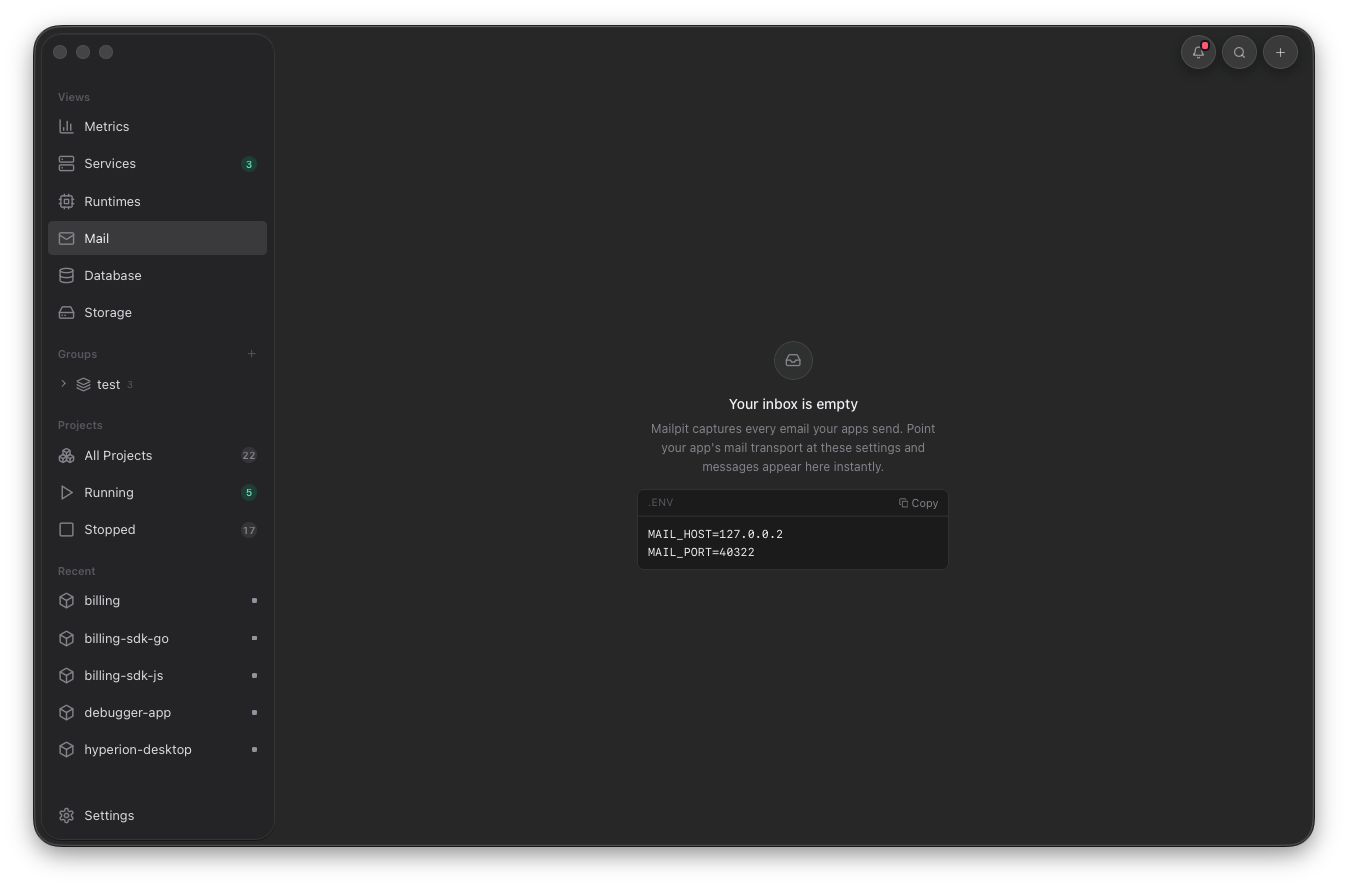
Use this view to verify the app points at Orbit's Mailpit endpoint. Once the app sends mail, the same inbox opens the captured message for inspection.
Database
Browse PostgreSQL databases and run SQL.
Database uses the running PostgreSQL endpoint and the orbit user. The SQL editor receives schema context for completion, table selection generates a SELECT query, and write statements require the writes toggle before they run.
- Start PostgreSQL from Services or by starting a project that uses it.
- Choose a database from the selector.
- Open a table to generate a SELECT query.
- Run the query from the button or with Cmd+Enter.
- Enable writes only when the query should mutate data.
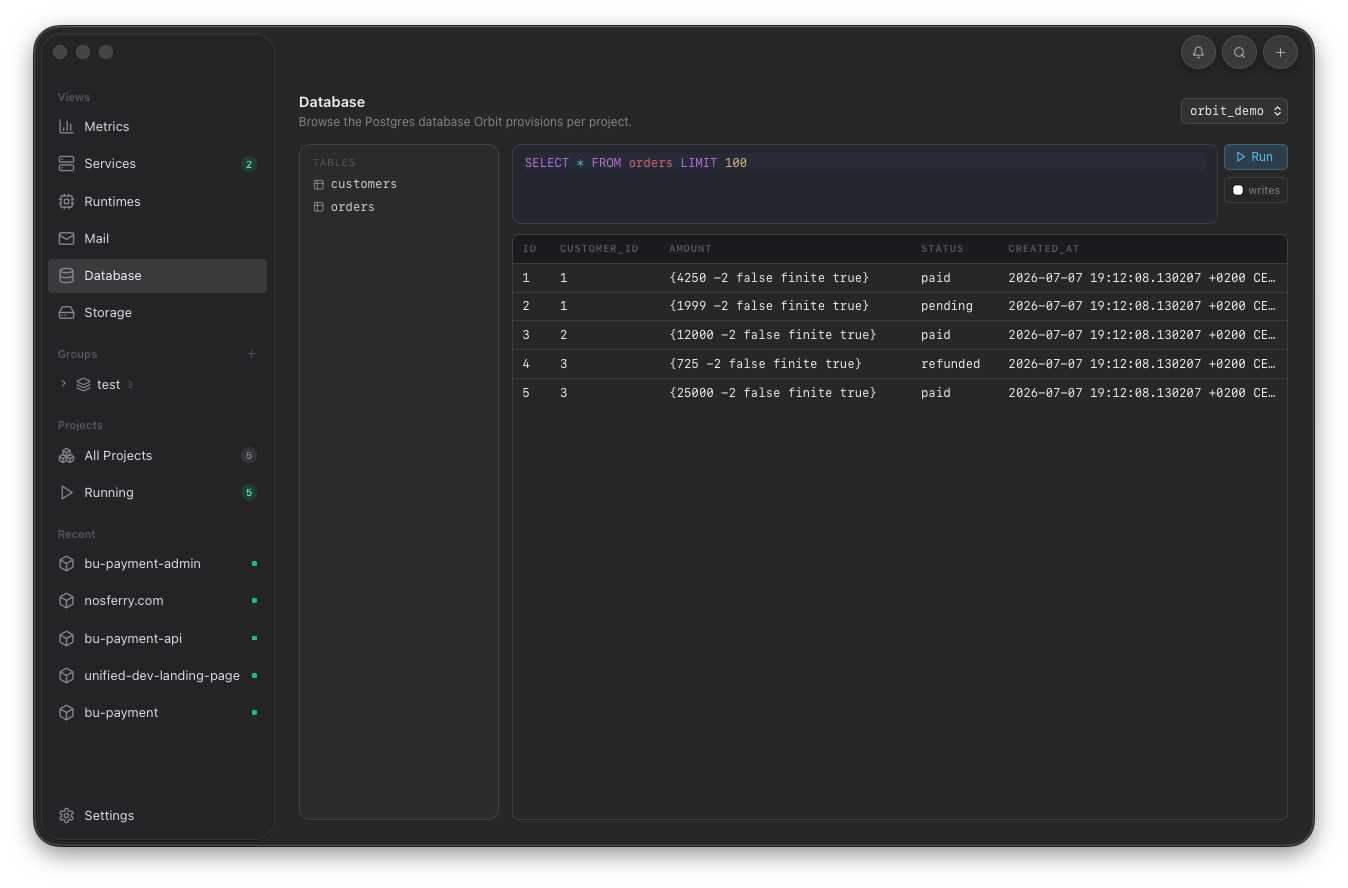
Use Database when a quick query belongs beside the running project. The editor knows table schema, while writes stay guarded until you deliberately enable them.
Object storage
Browse MinIO buckets and objects.
Storage reads from the running MinIO endpoint, lists buckets, lists objects, shows size and modified time, and opens presigned object URLs for downloads.
- MinIO must be running before buckets can load.
- Each project gets a bucket named from its project slug.
- Empty bucket means the app has not written objects to that project bucket.
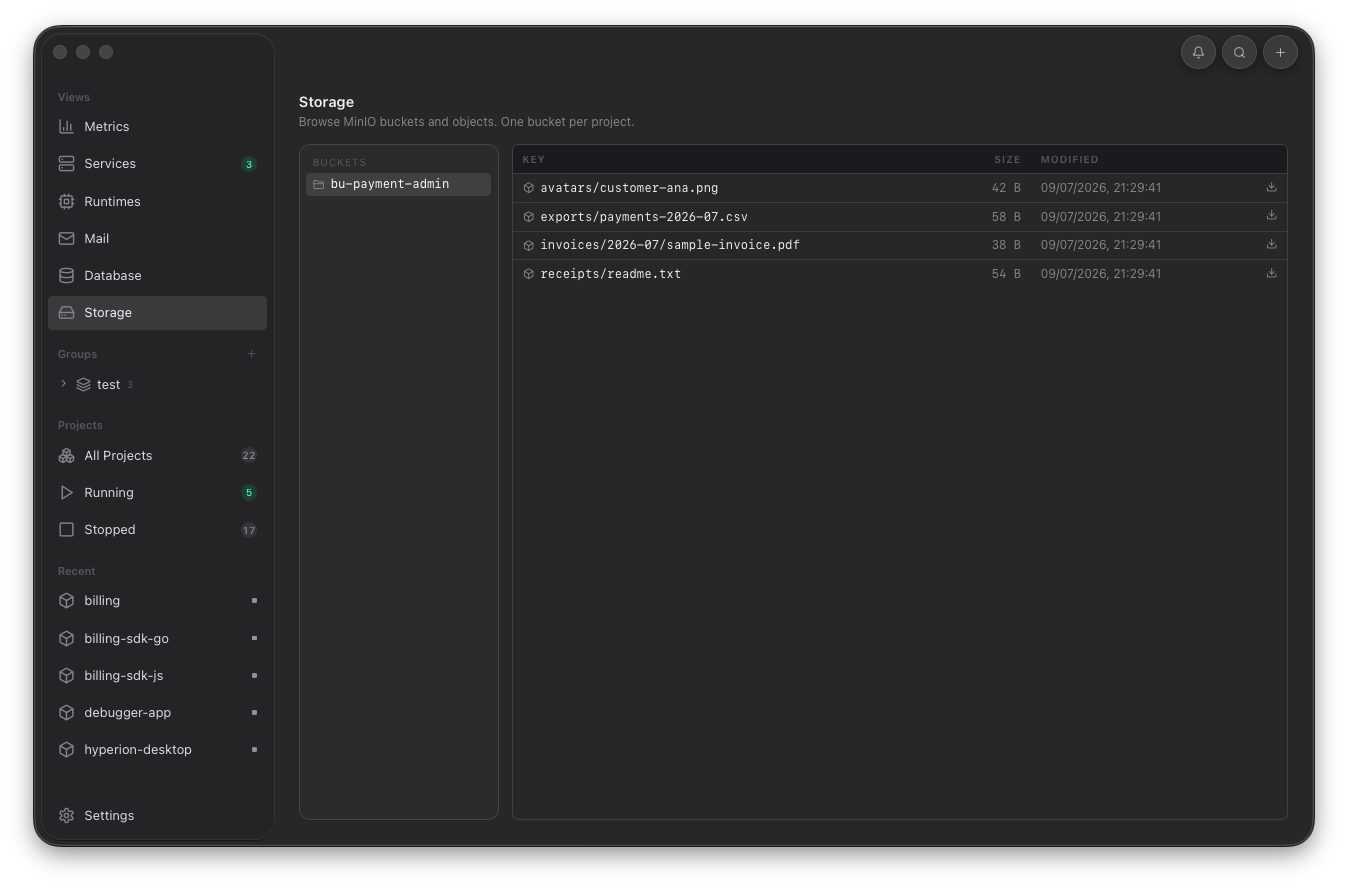
Use Storage to confirm uploads, generated files, and bucket contents. Empty buckets usually mean the app wrote to another endpoint.