Settings
Control Orbit’s machine-level behavior.
Settings collects app preferences, local domain setup, service defaults, cleanup actions, and version context.
Settings
Use tabs for machine-level concerns.
Settings is divided into General, Local Domains, Parked Folders, Services, and About. These tabs affect Orbit itself, not one project.
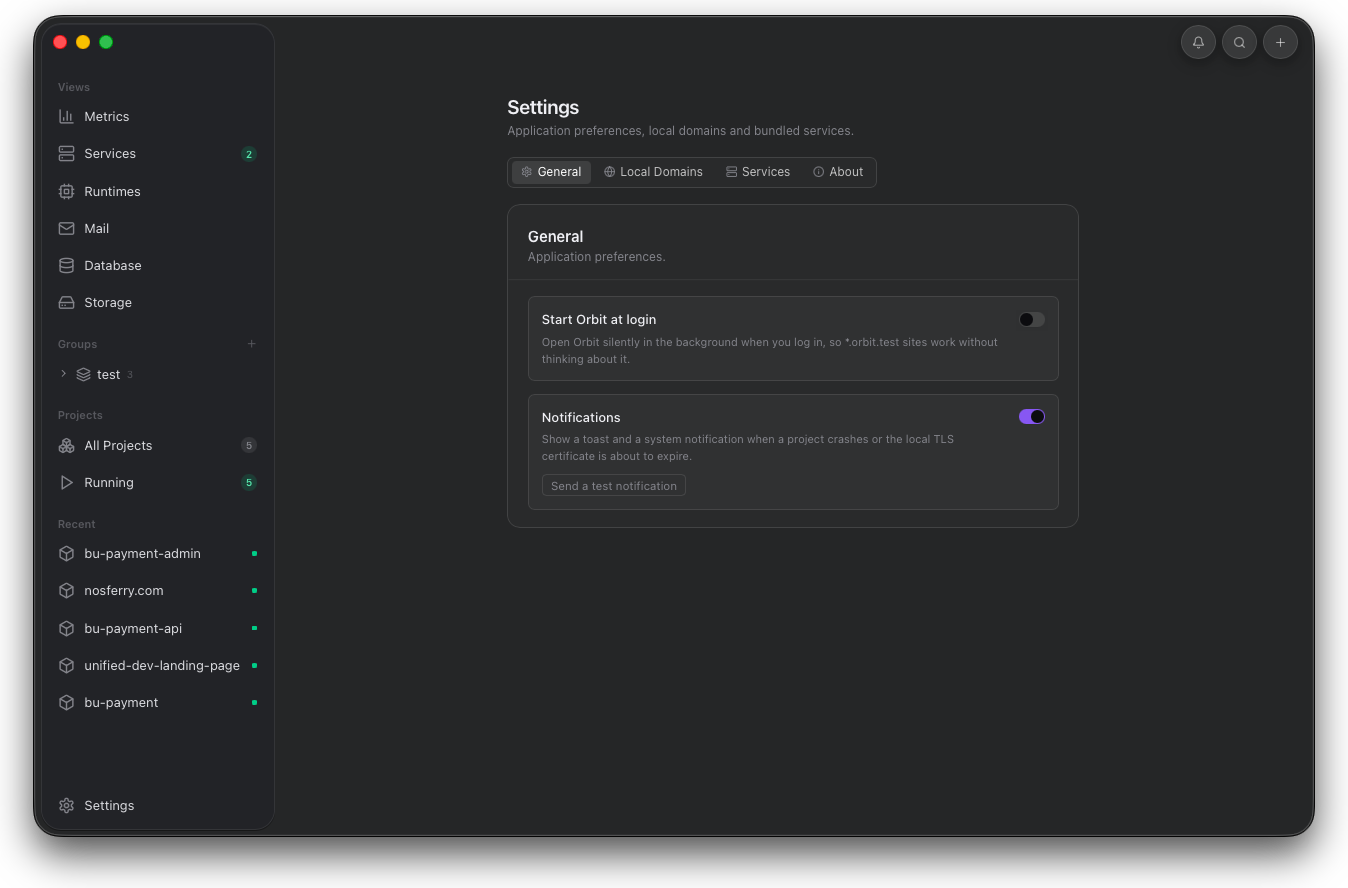
Use this view when the decision affects Orbit itself. Project-specific behavior belongs in project detail, not machine-level settings.
General
General controls runtime availability and AI access.
Start at login keeps local domains available after macOS login. Notifications surface project crashes and certificate expiry. Smart prewarm starts stopped runtimes ahead of expected use. Orbit AI enables project-level questions through local Claude Code or Codex CLI providers.
- Enable Smart prewarm when hover and usage patterns should wake stopped projects early.
- Enable Orbit AI only on machines with a signed-in Claude Code or Codex CLI.
- Use Auto provider when either installed CLI can answer project questions.
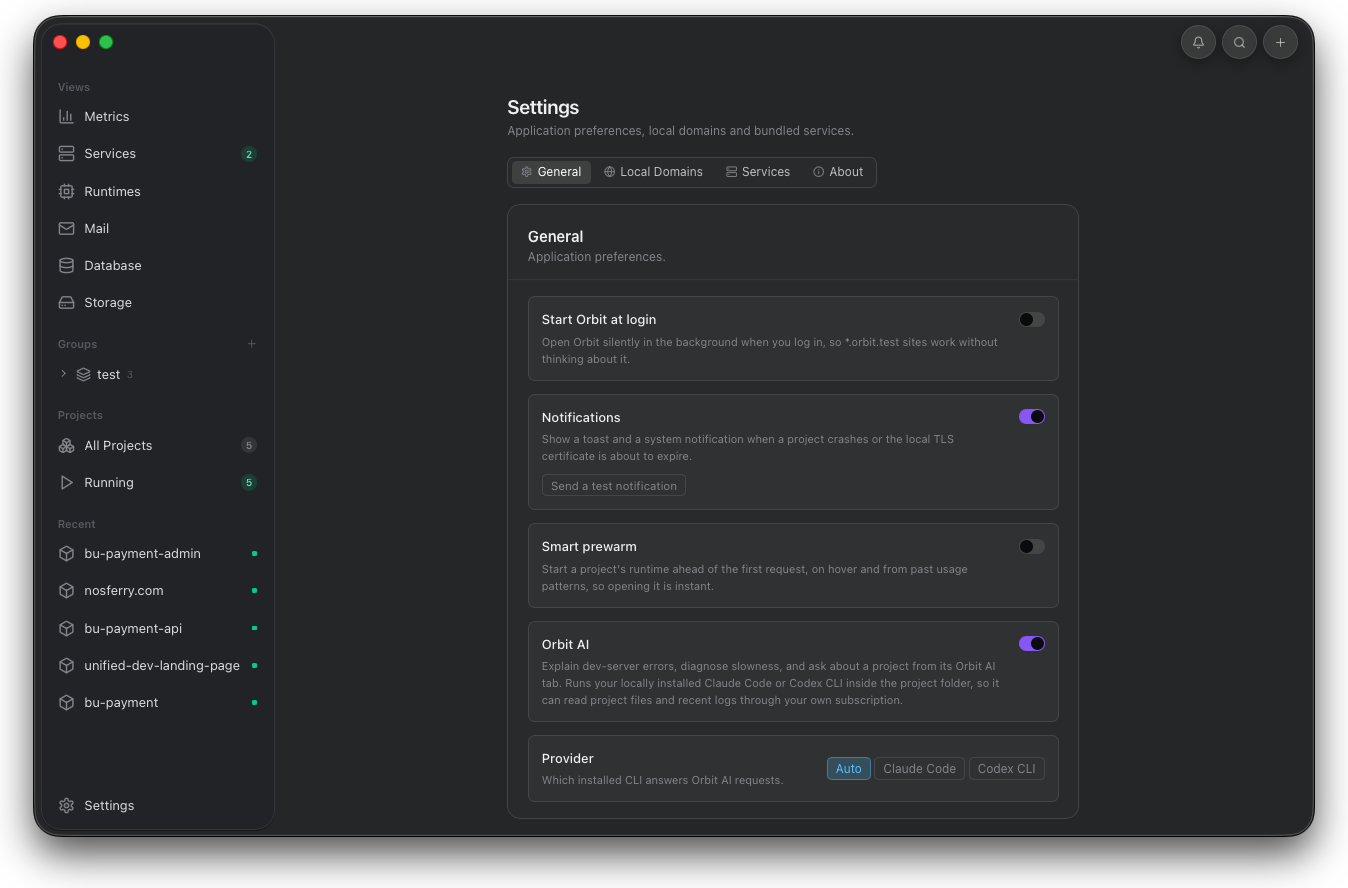
These controls decide how Orbit behaves before a project opens. Keep AI provider selection here, then ask project-specific questions from the Orbit AI tab.
Parked folders
Let Orbit register projects from watched folders.
Parked folders tell Orbit which directories to watch. When a project appears inside one of those folders, Orbit registers it automatically; when it disappears, Orbit removes the deleted project entry.
- Open Settings and switch to Parked Folders.
- Add a parent folder that contains local projects.
- Keep new project folders inside that parked folder.
- Use All Projects to review the projects Orbit registered automatically.
- Use broad workspace folders only when every child project should appear in Orbit.
- Deleted folders are removed from the project list automatically.
- Auto-registered projects are marked in the project dashboard.
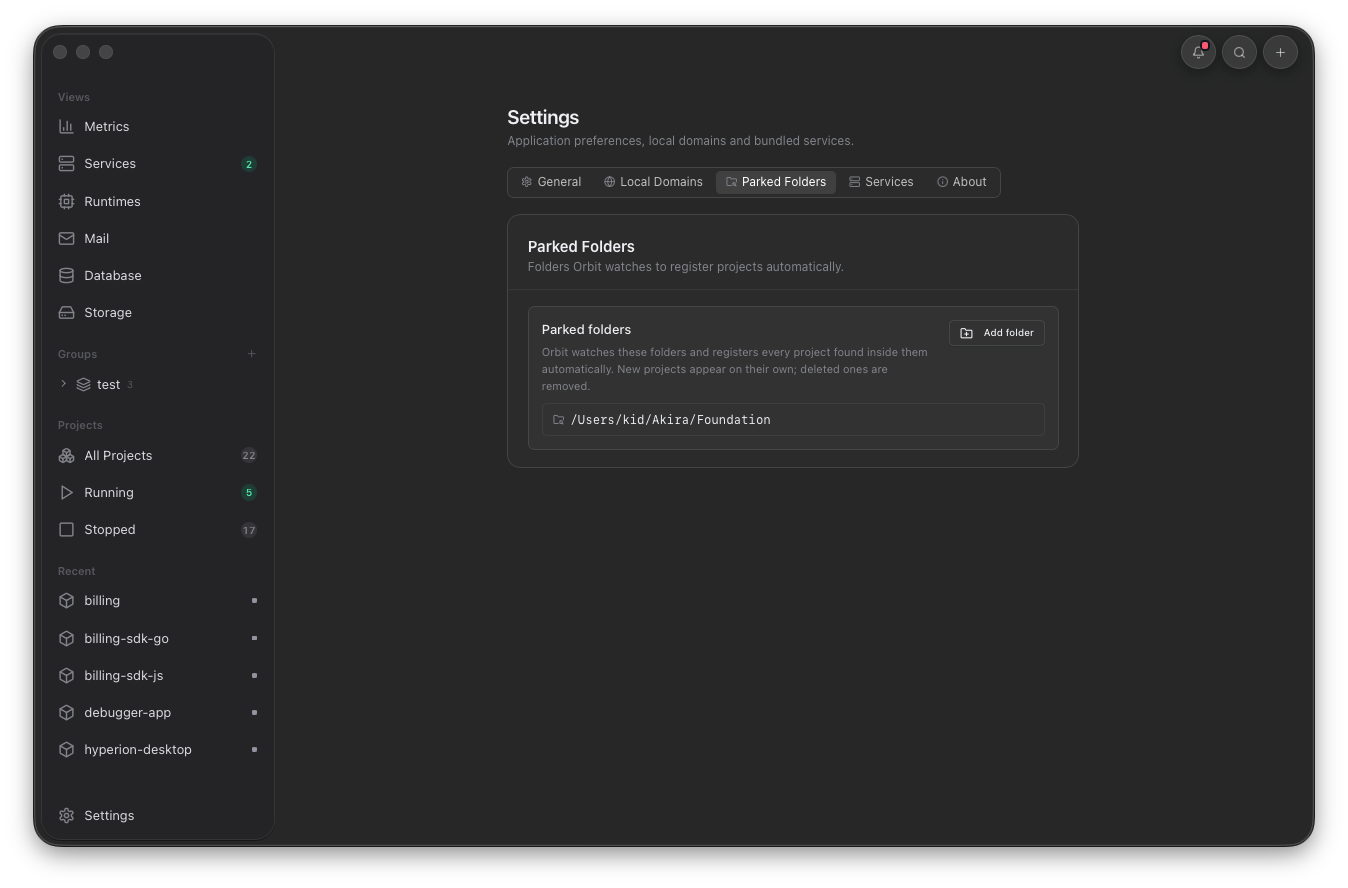
Use this tab when project discovery should follow your workspace structure instead of adding every folder by hand.
Services
Service defaults affect new projects.
Service settings control automatic management, idle stop, which engines are enabled for new projects, service disk usage, first-run wizard reset, and destructive service data cleanup.
- Clear data stops all services and deletes captured data such as mail and databases.
- Installed binaries stay in place when service data is cleared.
- Default engines are applied when a new project is added.
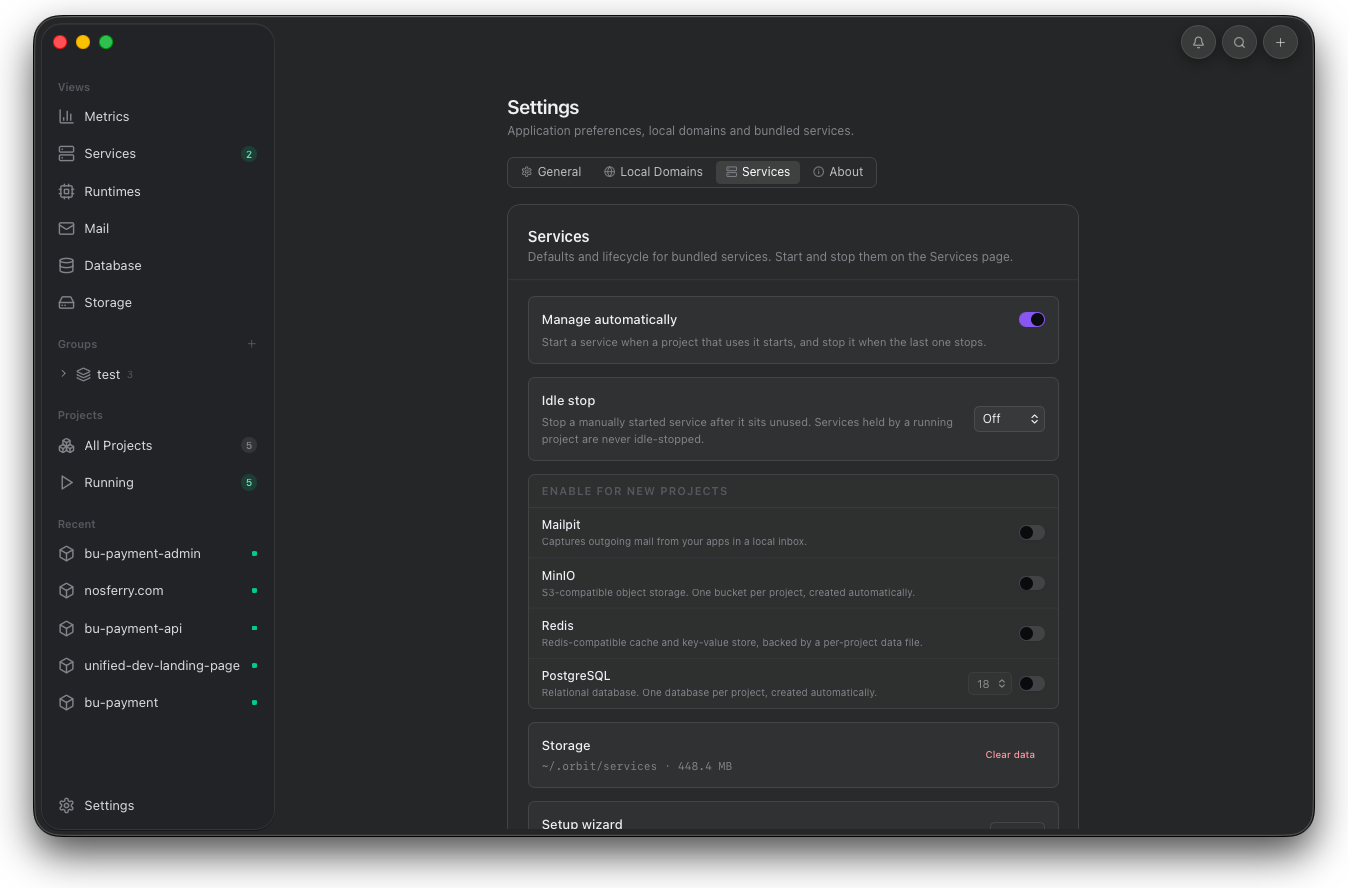
Use this tab to change what new projects inherit. Existing projects keep their own service selection unless you edit them.
Cleanup
Confirm destructive service cleanup before it runs.
Clear data stops services and removes captured service state such as local mail, databases, buckets, and cache files while leaving installed binaries in place.
- Use cleanup only when captured service state is disposable.
- Installed service binaries remain available after cleanup.
- Start affected services again before using Mail, Database, or Storage.
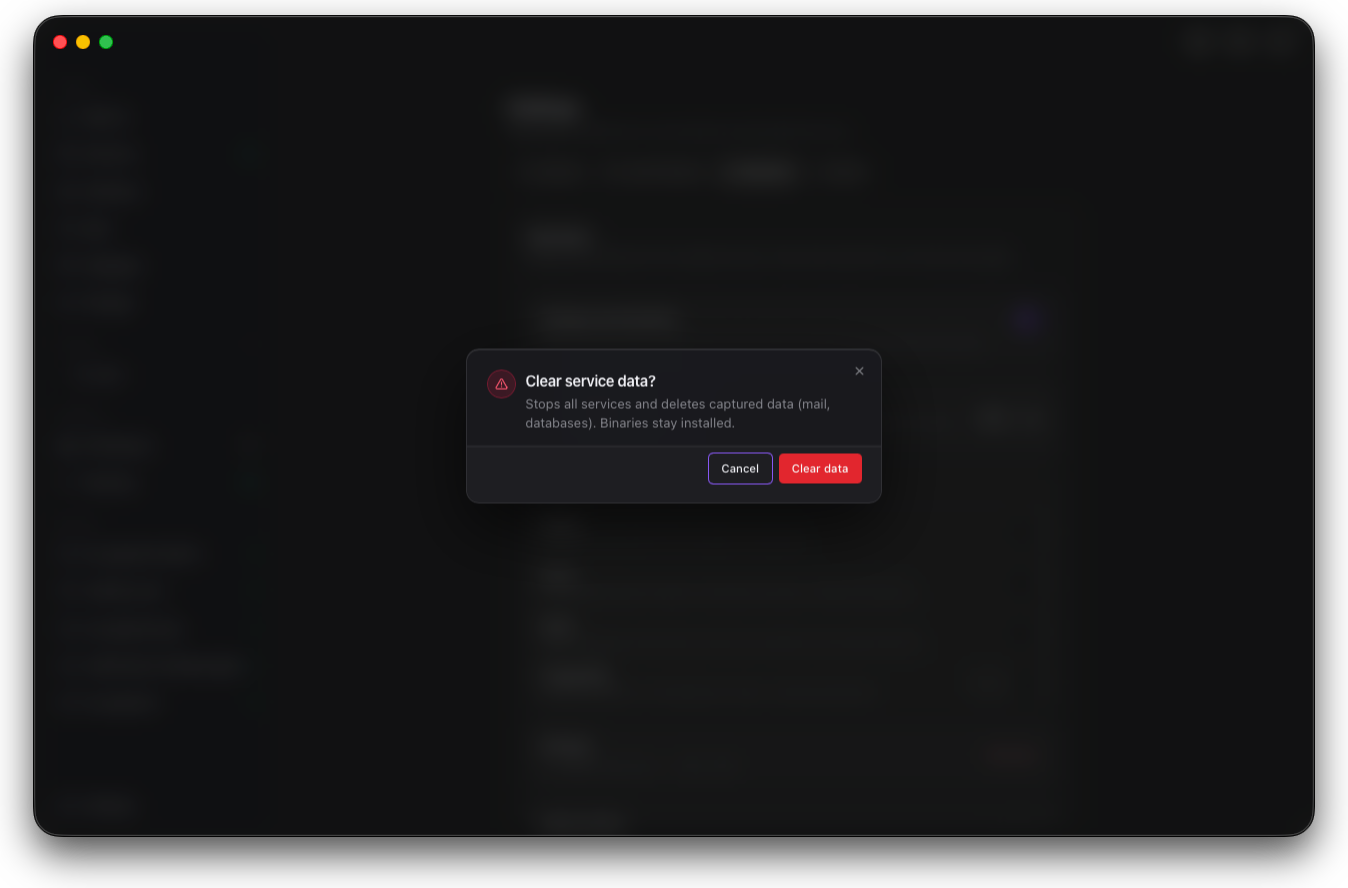
Use this dialog as a boundary before destructive cleanup. It removes captured service state, not the installed service binaries.
About
About confirms the installed desktop runtime.
About shows the Orbit icon, version, platform, domain suffix, proxy address, and project attribution.
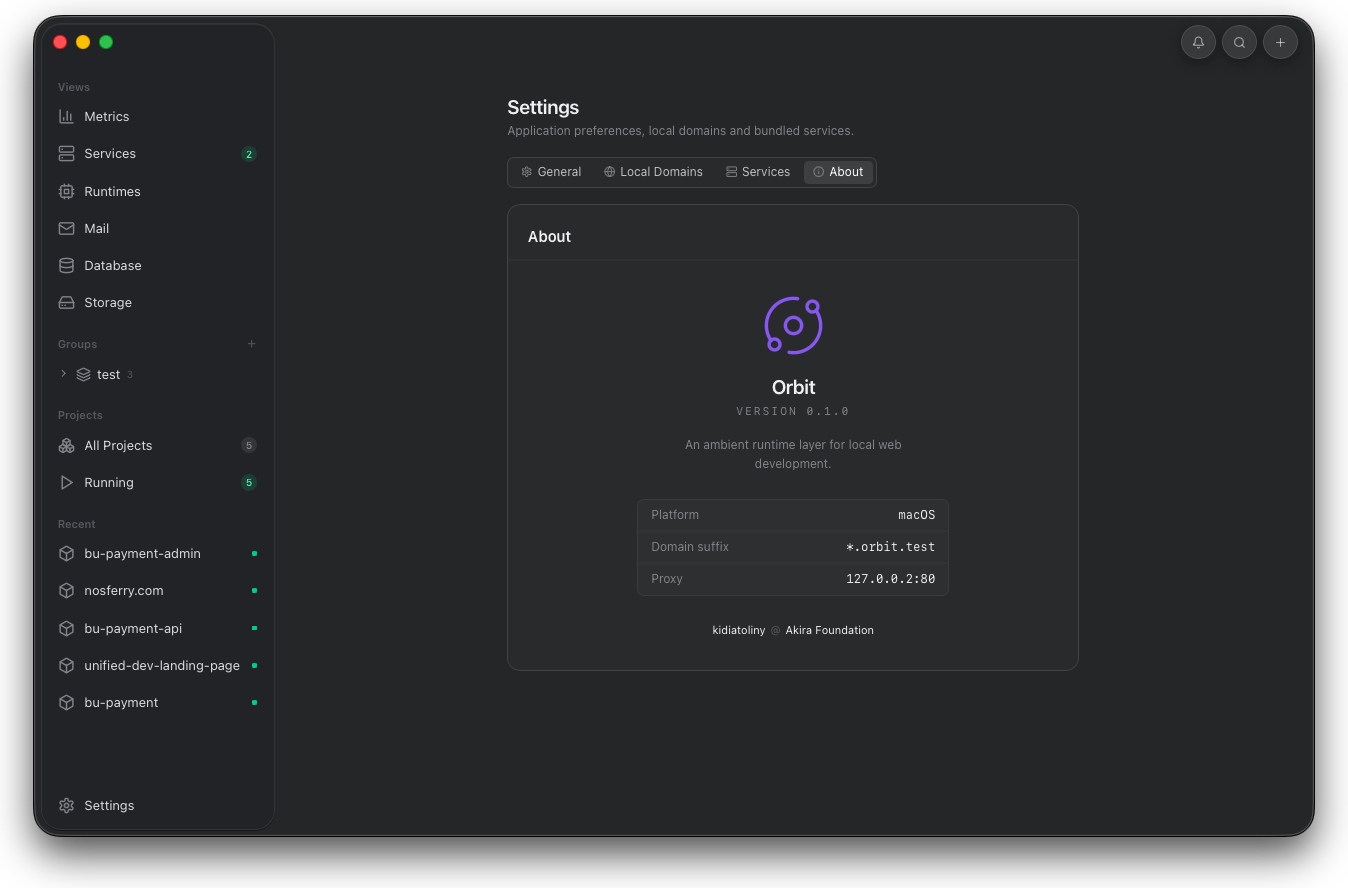
Use About when reporting version, platform, domain suffix, or proxy address. It gives support context without leaving the app.