Troubleshooting
Start from the screen that owns the failure.
Use the Orbit view that corresponds to the symptom before changing project code or machine setup.
Domain failures
When a project URL does not open, check Local Domains first.
A browser failure on *.orbit.test can come from resolver setup, loopback state, proxy daemons, TLS trust, or the project runtime. Settings separates machine setup from runtime state.
- Local Domains should report the loopback alias, DNS responder, resolver, proxy daemon, HTTPS forwarder, and CA state.
- If those checks pass, open project detail and inspect runtime status.
- If the browser shows a trust warning, enable Trust Orbit CA or accept the per-project warning.
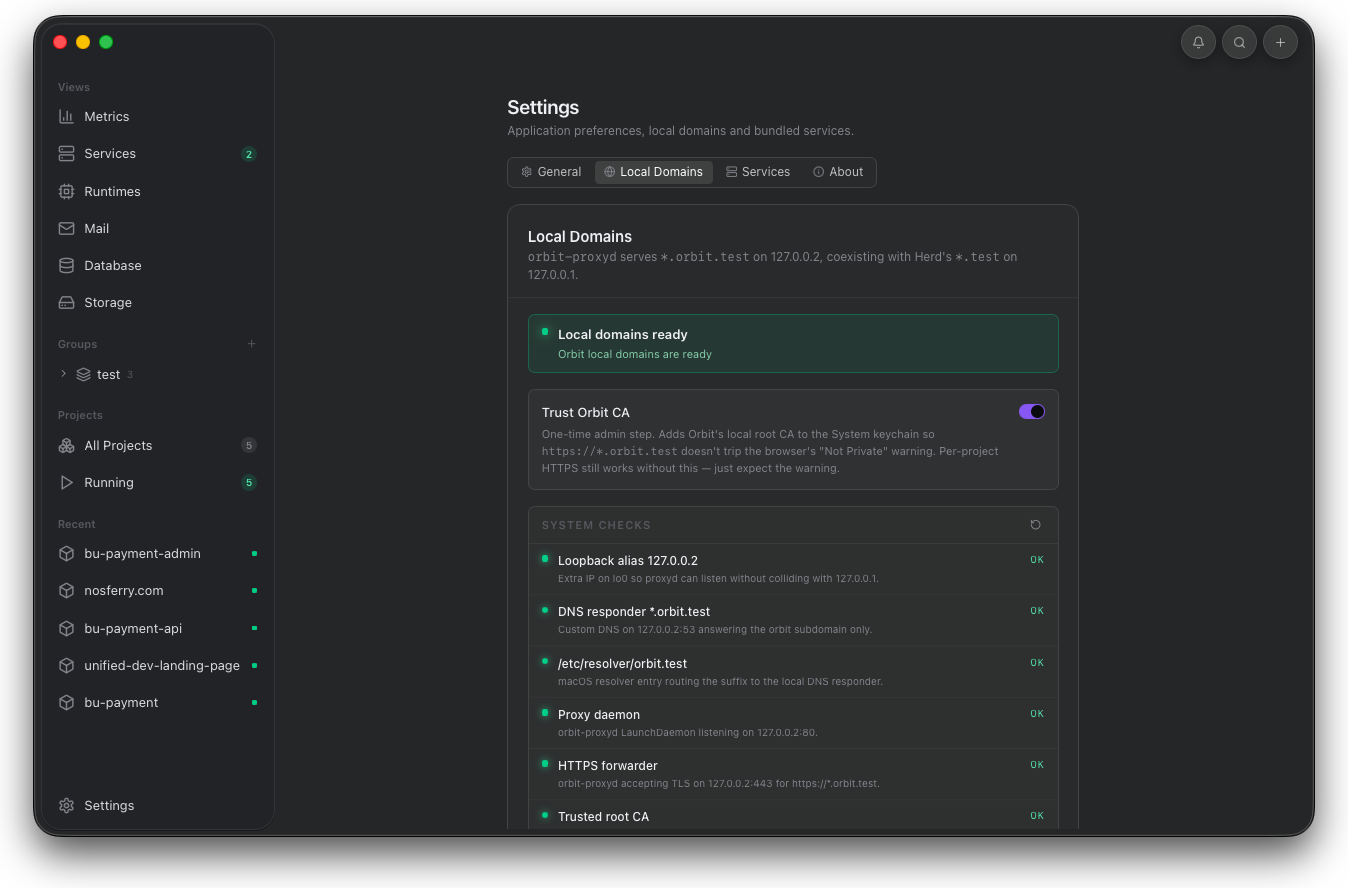
Confirm machine checks first. Resolver or proxy failures here can make every project look broken.
Runtime failures
When a project will not start, read logs before editing code.
Orbit records install, start, service, compose, watchdog, crash, and runtime output events. Use logs and terminal together when the next step is a command inside the project folder.
- Open project logs and inspect the first error event.
- Open the project terminal for package manager, framework, or database commands.
- Restart only after the dependency or command error is addressed.
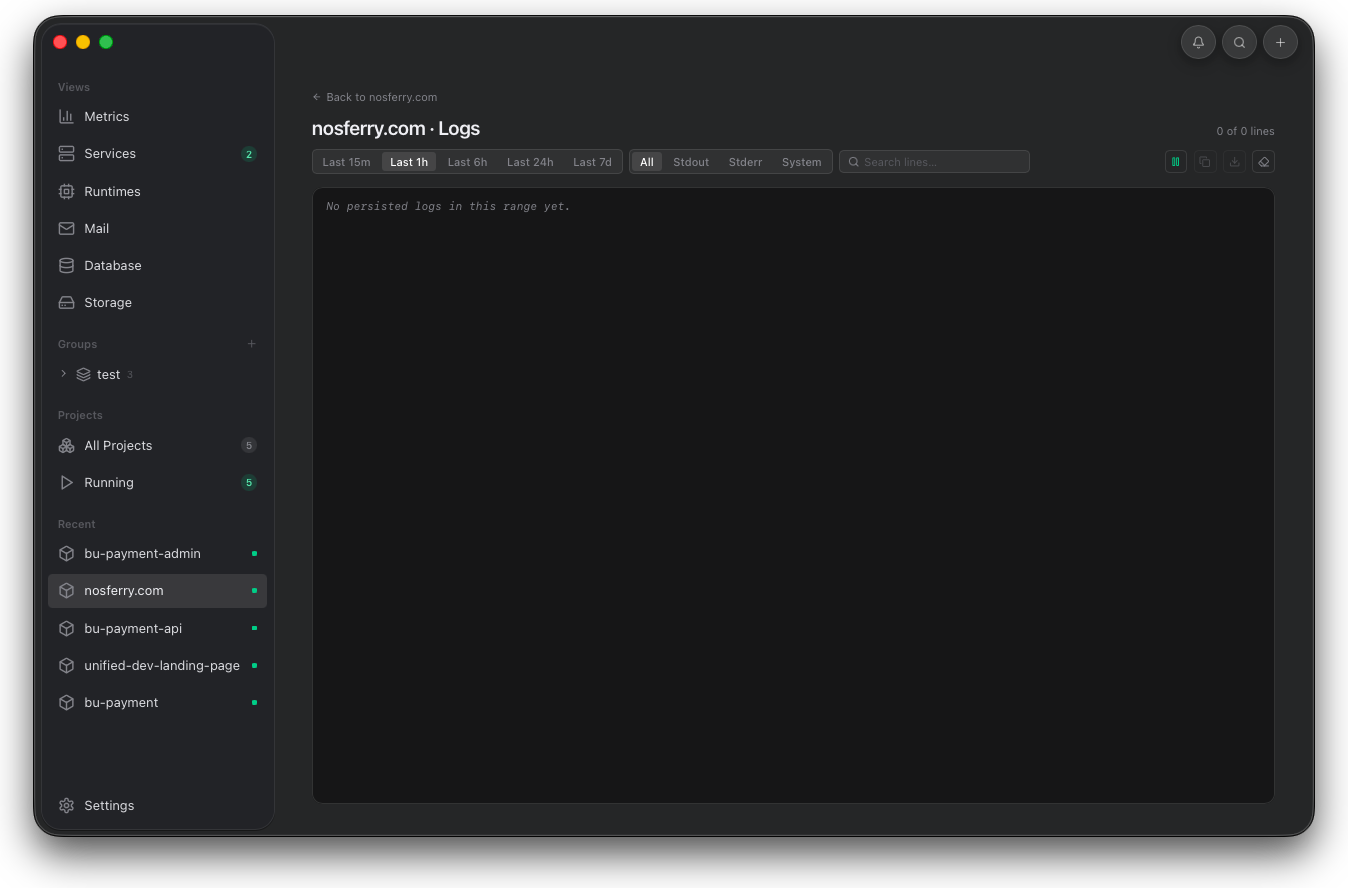
Start with the earliest failed event, not the last line. Install and service errors usually explain why the runtime never became ready.
Terminal follow-up
Run the next command in the same project context.
When the log points at a package, framework, or database command, use the project terminal so the working directory matches the project Orbit resolved.
- Open Terminal from the selected project.
- Run the command that matches the failure signal.
- Restart the project and return to Logs or Requests.
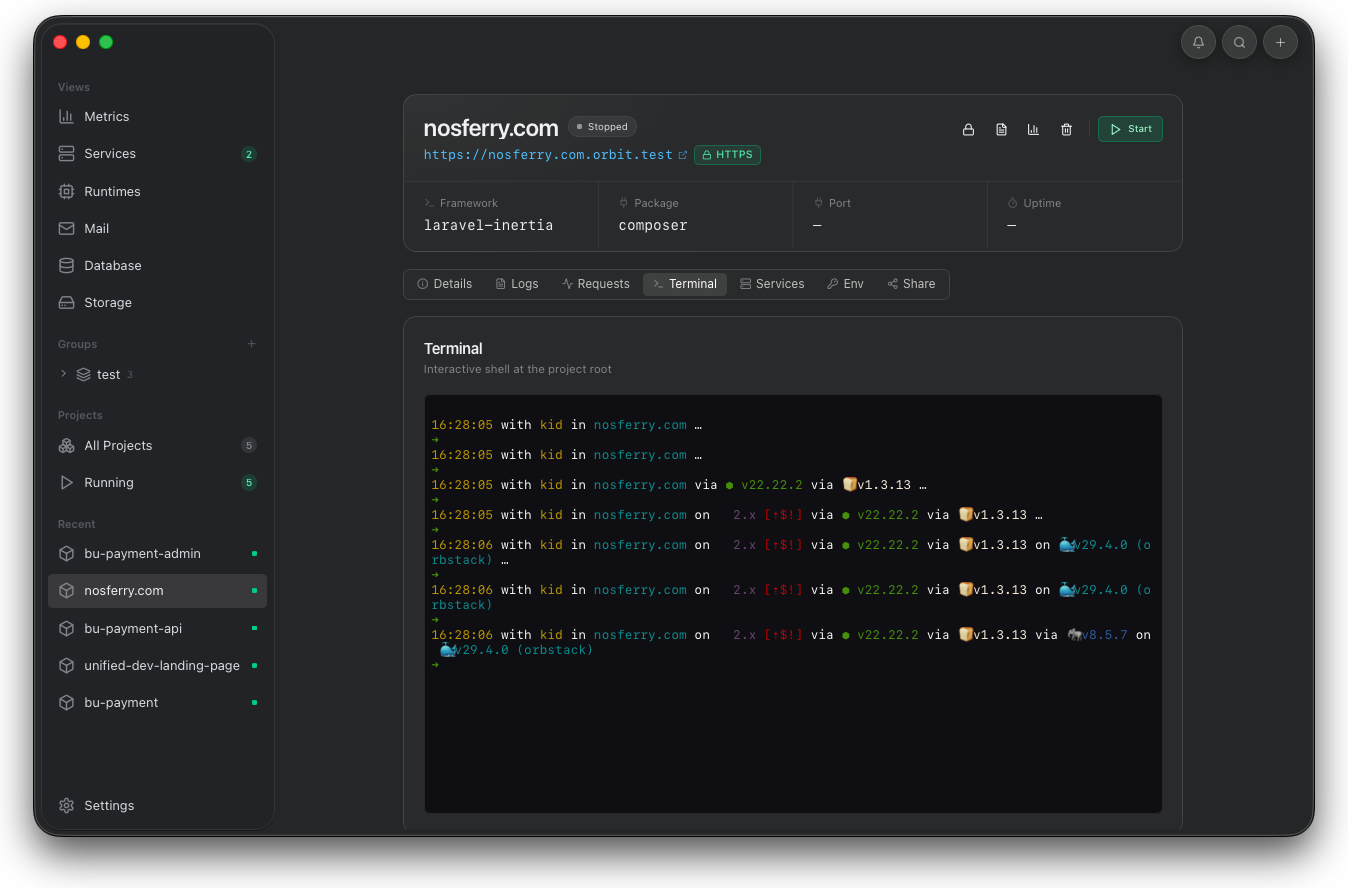
Run follow-up commands from the same project root. That keeps package manager and framework checks aligned with Orbit's detected path.
Service failures
When data tools are empty, confirm the service engine.
Mail, Database, and Storage are clients over Mailpit, PostgreSQL, and MinIO. Empty or failed data views usually mean the engine is stopped or the project is writing to a different endpoint.
- Mail requires Mailpit to be running.
- Database requires PostgreSQL to be running.
- Storage requires MinIO to be running.
- Project Services should include the engine that the app expects.
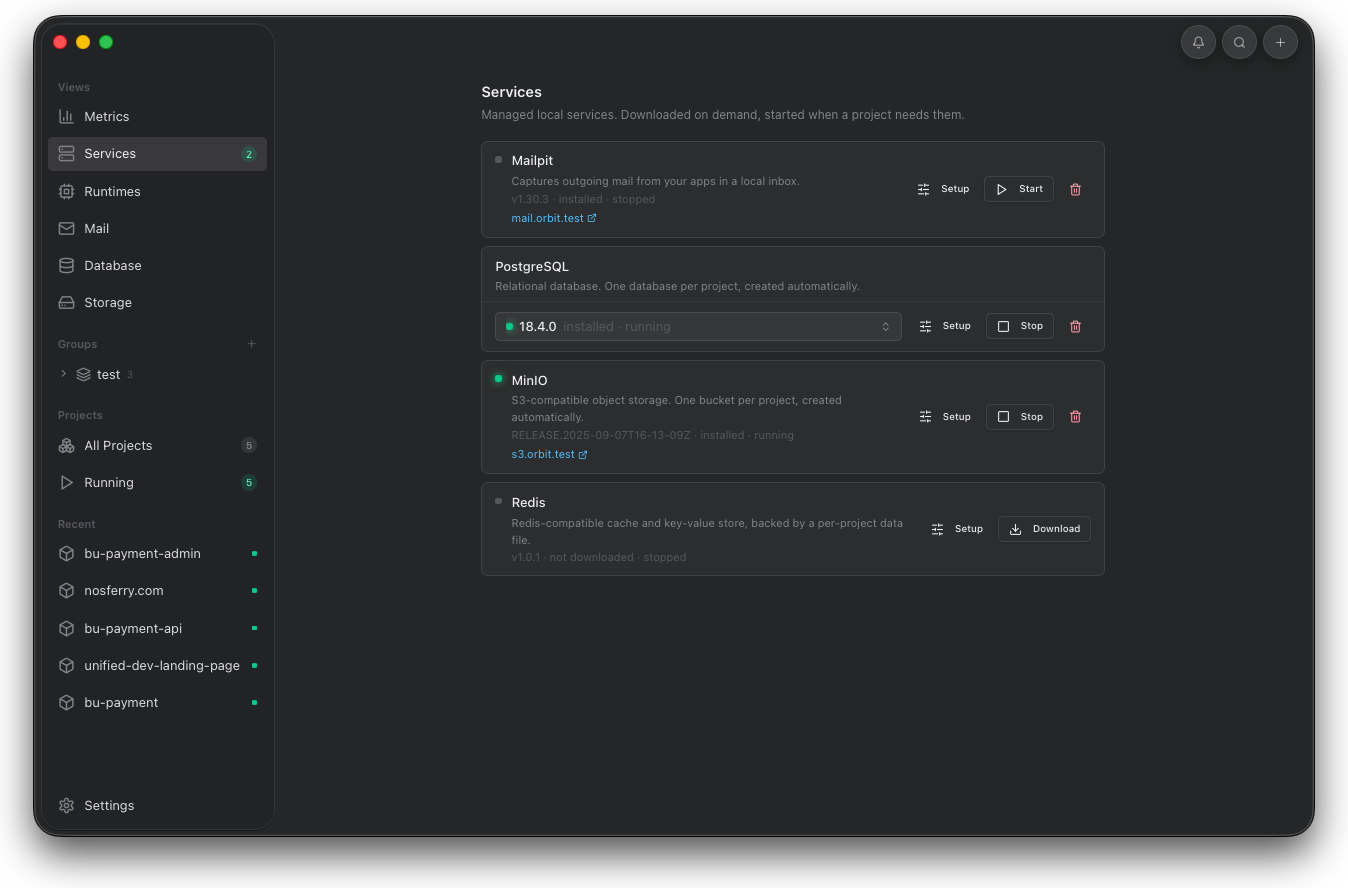
If Mail, Database, or Storage is empty, verify the engine first. A stopped service makes the data tool fail before the app code matters.
Project service selection
Confirm the selected project owns the engine.
A shared service can be running while a project is not configured to use it. Check the project Services tab before changing application code.
- The engine should be enabled for the selected project.
- Per-project databases and buckets should match the project slug.
- Environment values should point at Orbit service endpoints.
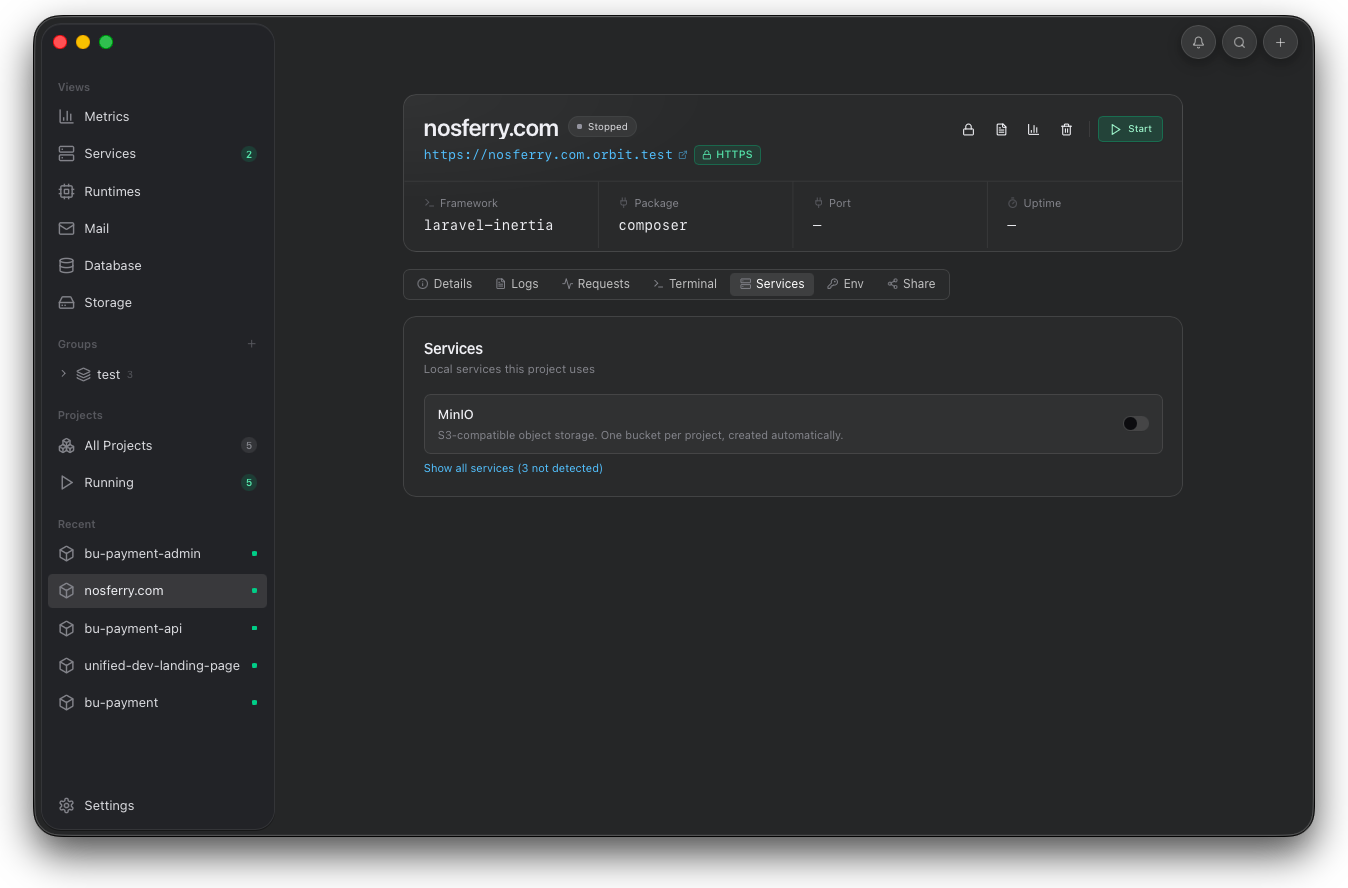
Then confirm the selected project includes that engine. Shared services can run while one project is still missing the dependency.