Setup
Prepare Orbit before project work starts.
Configure local domains, TLS trust, and default services once, then return to project work.
Local domains
*.orbit.test lives on 127.0.0.2.
Orbit installs the loopback, resolver, DNS responder, HTTP proxy, HTTPS forwarder, and optional trusted local CA used by project domains. The 127.0.0.2 alias keeps Orbit domains predictable without taking over localhost.
- Open Settings, then Local Domains.
- Run setup when Orbit reports that local domains are not ready.
- Enable Trust Orbit CA when browser trust should be automatic for HTTPS project domains.
- Use Re-check after changing network, resolver, or keychain state.
- Loopback alias 127.0.0.2 is present.
- /etc/resolver/orbit.test points macOS at the Orbit responder.
- orbit-proxyd accepts HTTP on port 80 and TLS on port 443.
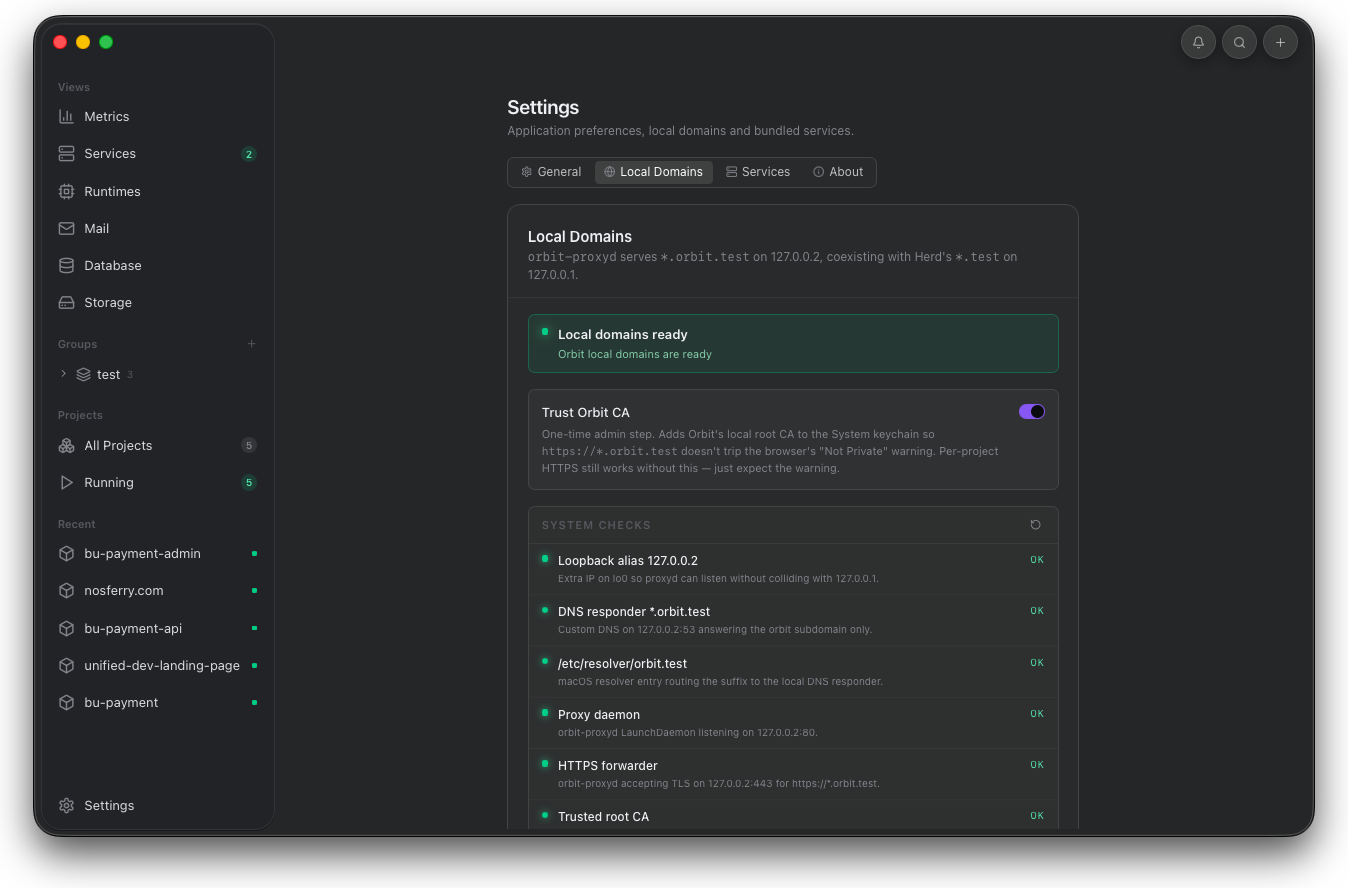
Use this screen before debugging a project. If any machine check fails here, fix resolver, proxy, or trust state before touching app code.
First run
Choose only the shared engines you need.
On first launch, Orbit offers service downloads without forcing them. The same choices can be revisited later from Settings.
- Pick Mailpit, PostgreSQL, MinIO, Redis, or another service only when your projects need it.
- Skip the wizard when the machine is not ready for service downloads.
- Re-run the wizard from Settings when the default service mix changes.
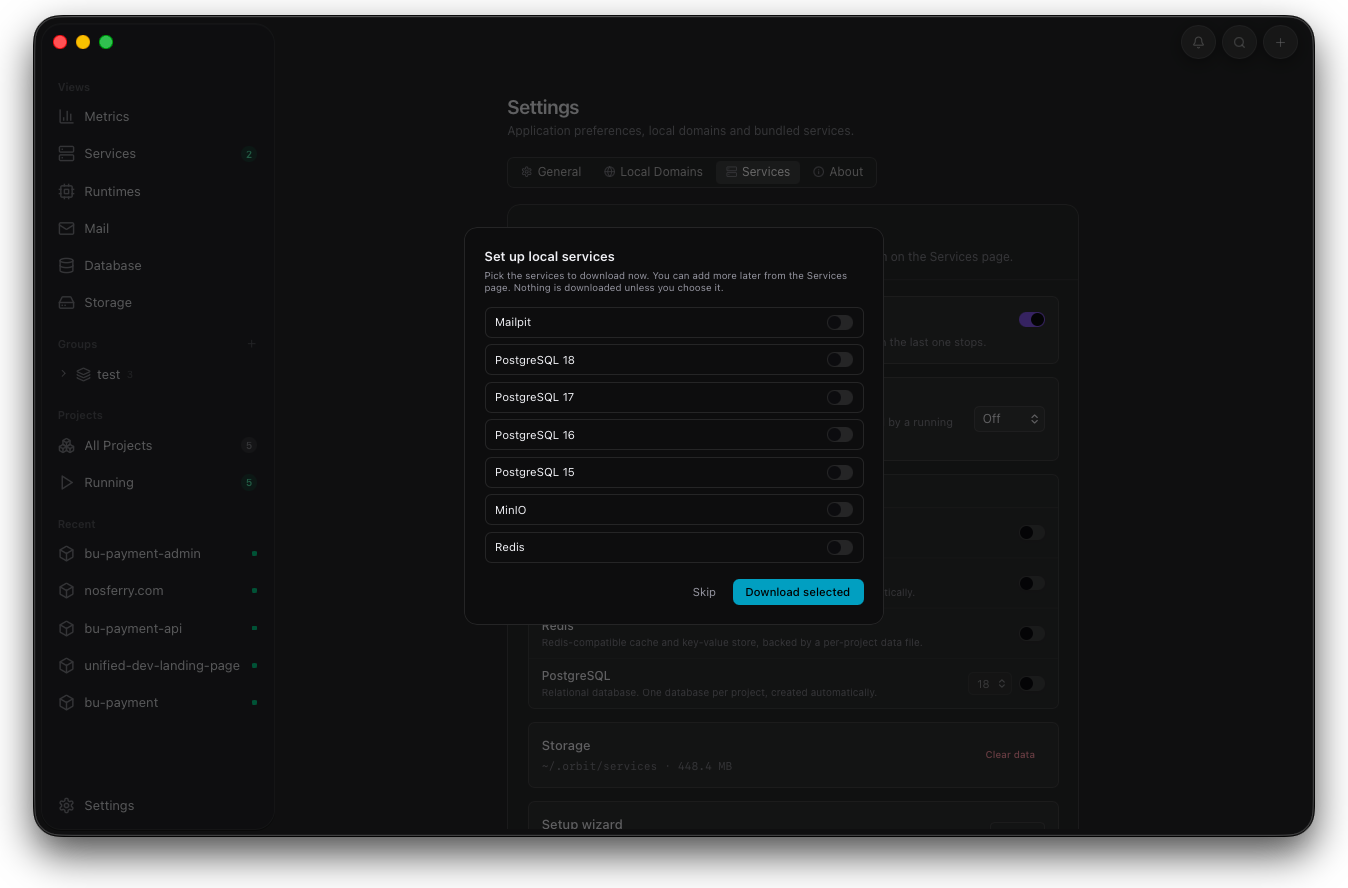
Keep first-run setup narrow. Download the engines your projects use and leave the rest available for later from Settings.
Preferences
Control launch, alerts, prewarm, and Orbit AI.
General settings decide whether Orbit starts after macOS login, sends desktop alerts, prewarms project runtimes, and exposes Orbit AI in project detail.
- Launch at login is enabled when project domains must survive a restart.
- Notifications are enabled when runtime crashes and certificate expiry matter.
- Smart prewarm is enabled when stopped projects should wake before the first request.
- Orbit AI is enabled only when a local Claude Code or Codex CLI should answer project questions.
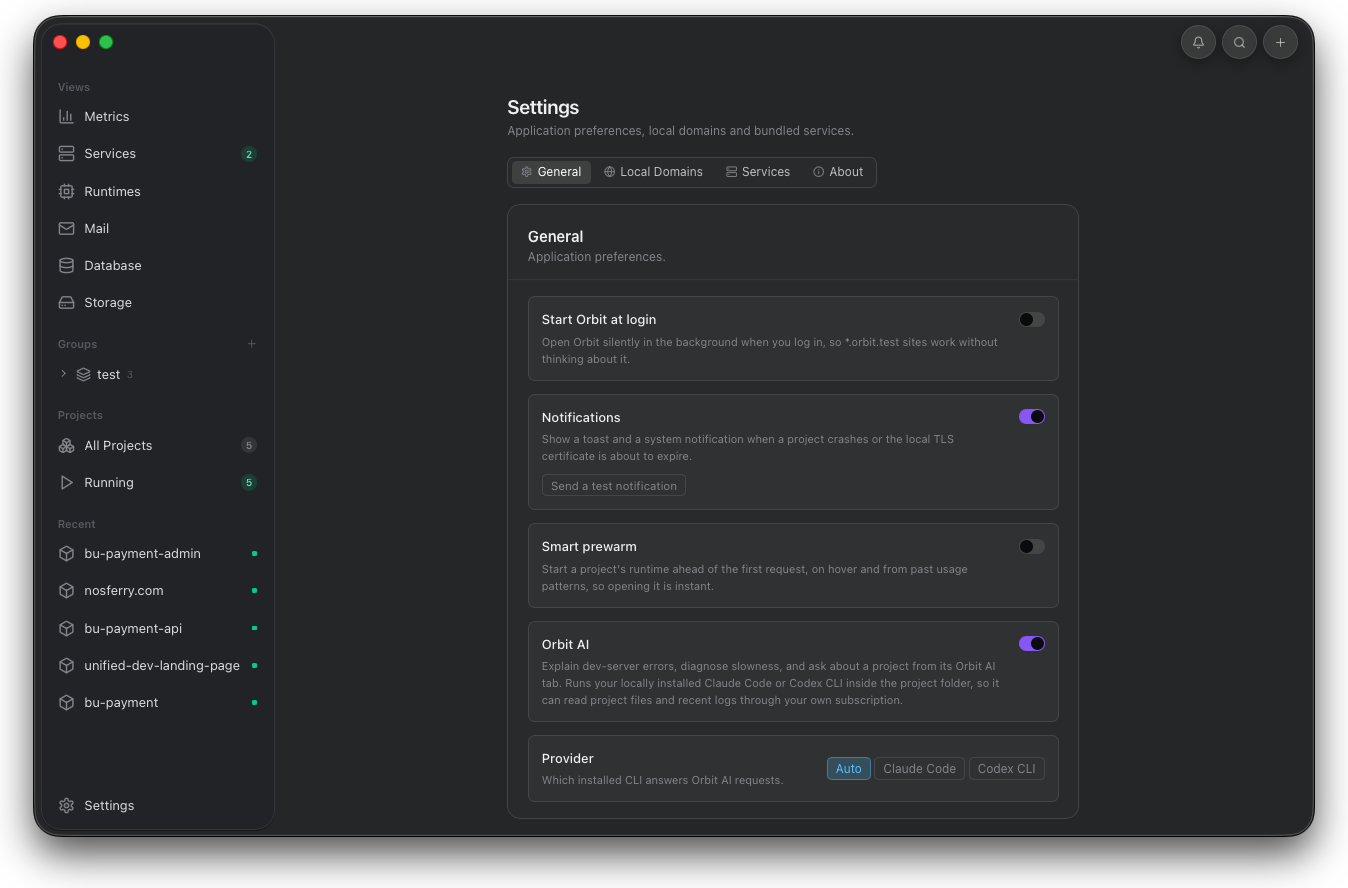
Use these controls before project work starts. They decide how Orbit recovers, how failures reach you, when runtimes wake, and whether AI help is available from project detail.
Service defaults
Set default engines before adding projects.
Service settings control automatic management, idle stop, engines enabled for new projects, disk usage, and setup reset actions.
- Service defaults match the engines new projects should receive automatically.
- Idle stop is enabled when unused services should sleep.
- Clear data is reserved for captured service state that should be removed.
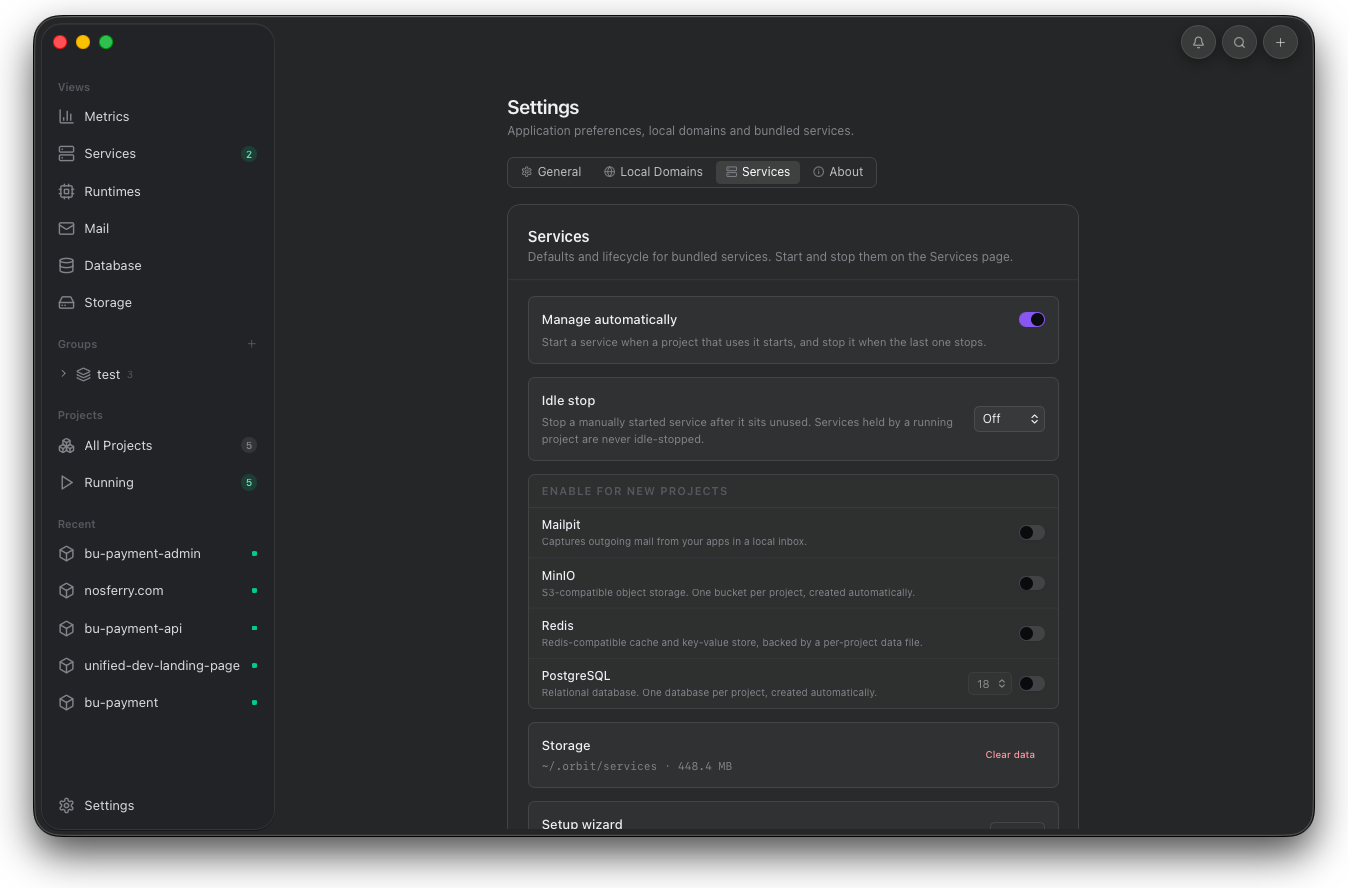
This is where defaults become policy for new projects. Confirm the selected engines before adding a folder that expects shared services.