Services
Run shared engines beside the projects that use them.
Manage shared engines, per-project service selection, Docker Compose, and language runtimes from Orbit.
Shared engines
Services are downloaded and started on demand.
Orbit manages Mailpit, PostgreSQL, MinIO, and Redis-compatible storage. Service rows expose status, setup values, start and stop actions, and uninstall actions.
- Open Services to inspect engine state.
- Start an engine manually when you want it available before a project runs.
- Use setup values when an app needs connection strings or ports.
- Uninstall only when the binary and captured service data should be removed.
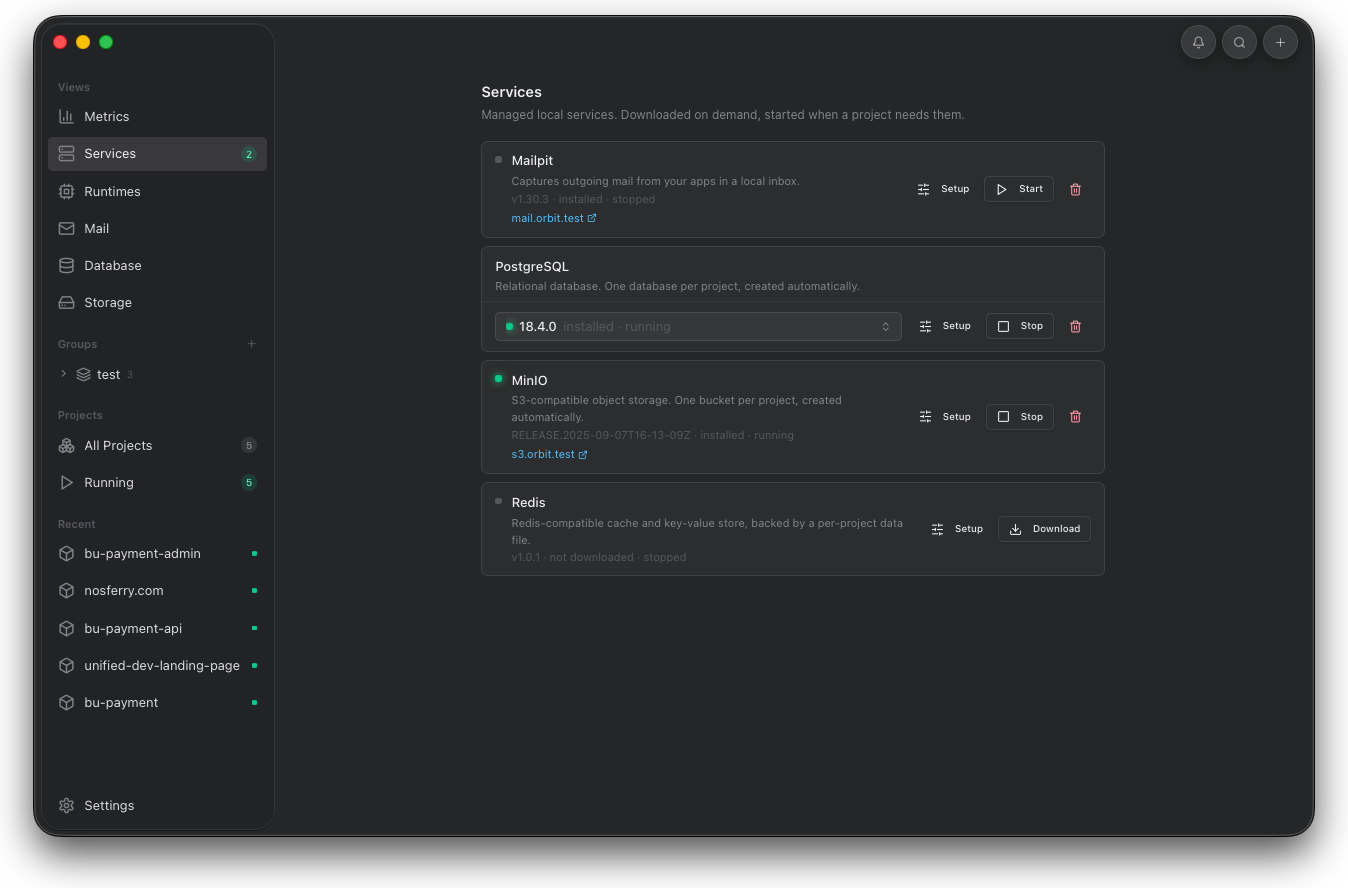
Use this screen to start engines before a project needs them, copy setup values, or remove data when the local service state is stale.
Docker Compose
Project Compose services start with the project.
Compose services belong to the project that declares them. Orbit detects compose.yaml, compose.yml, docker-compose.yaml, or docker-compose.yml from the project root, then starts and stops that stack with the selected runtime.
- Keep the Compose file in the project root.
- Start the project from Project detail or the dashboard.
- Open Details to inspect Compose service names, state, health, and published ports.
- Use Logs when Docker is missing or compose up fails.
- Shared engines appear on the Services page.
- Project Compose containers appear in the selected project's Details tab.
- Docker must be installed where the desktop app can find it.
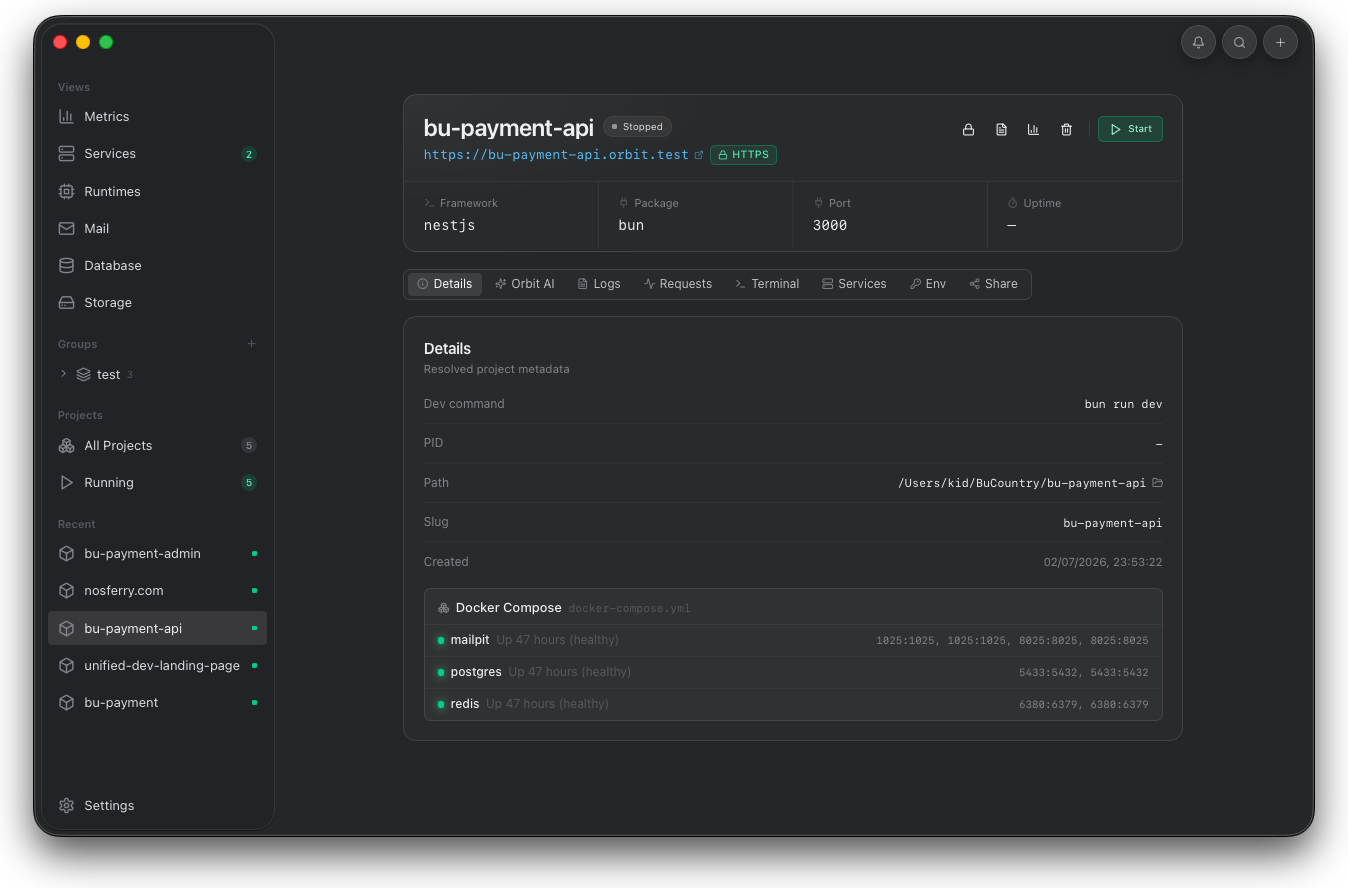
Use this screenshot to confirm that Compose is not a global service row. It is project-owned runtime state.
Project services
Project service selection stays scoped.
The project Services tab controls which engines belong to the selected project. When a project starts, Orbit starts enabled engines, provisions per-project resources, and injects missing environment values.
- PostgreSQL creates one database per project slug.
- MinIO creates one bucket per project slug.
- Redis-compatible storage uses a per-project data file.
- Service environment values are injected only when the project has not already set that variable.
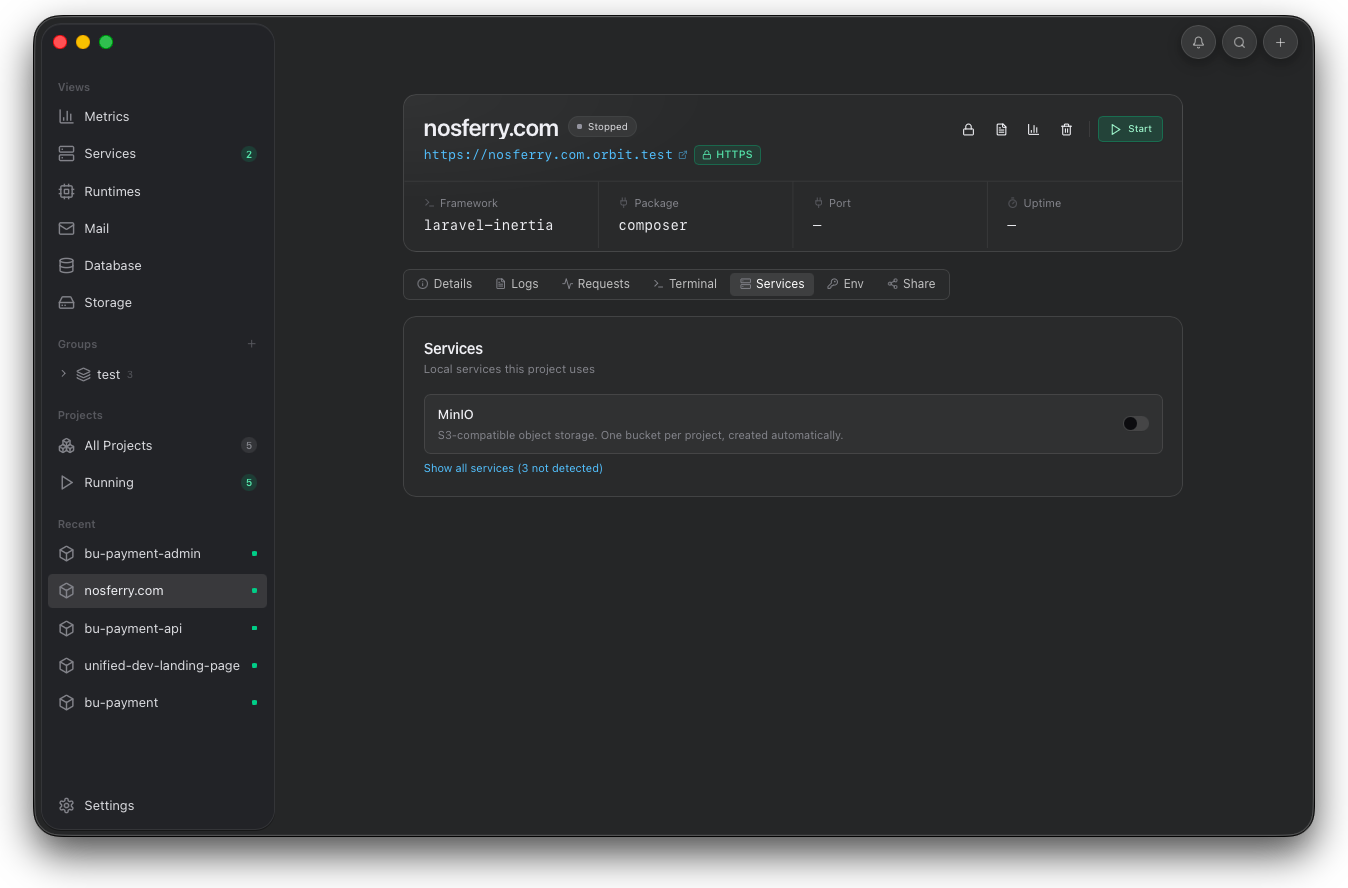
Use the project tab to keep dependencies scoped. Orbit can provision project databases, buckets, and injected variables from this selection.
Language runtimes
Runtime versions can be bundled or system-managed.
Runtimes covers Node.js, PHP, and Python. Orbit detects system runtimes, can install managed versions, and resolves project runtime needs from files such as .nvmrc, .node-version, composer.json, .python-version, and pyproject.toml.
- Open Runtimes to inspect installed managed versions.
- Install a version before a project needs it when network access is limited.
- Enable prefer system runtime when the machine runtime should win.
- Remove unused managed versions after confirming no project needs them.
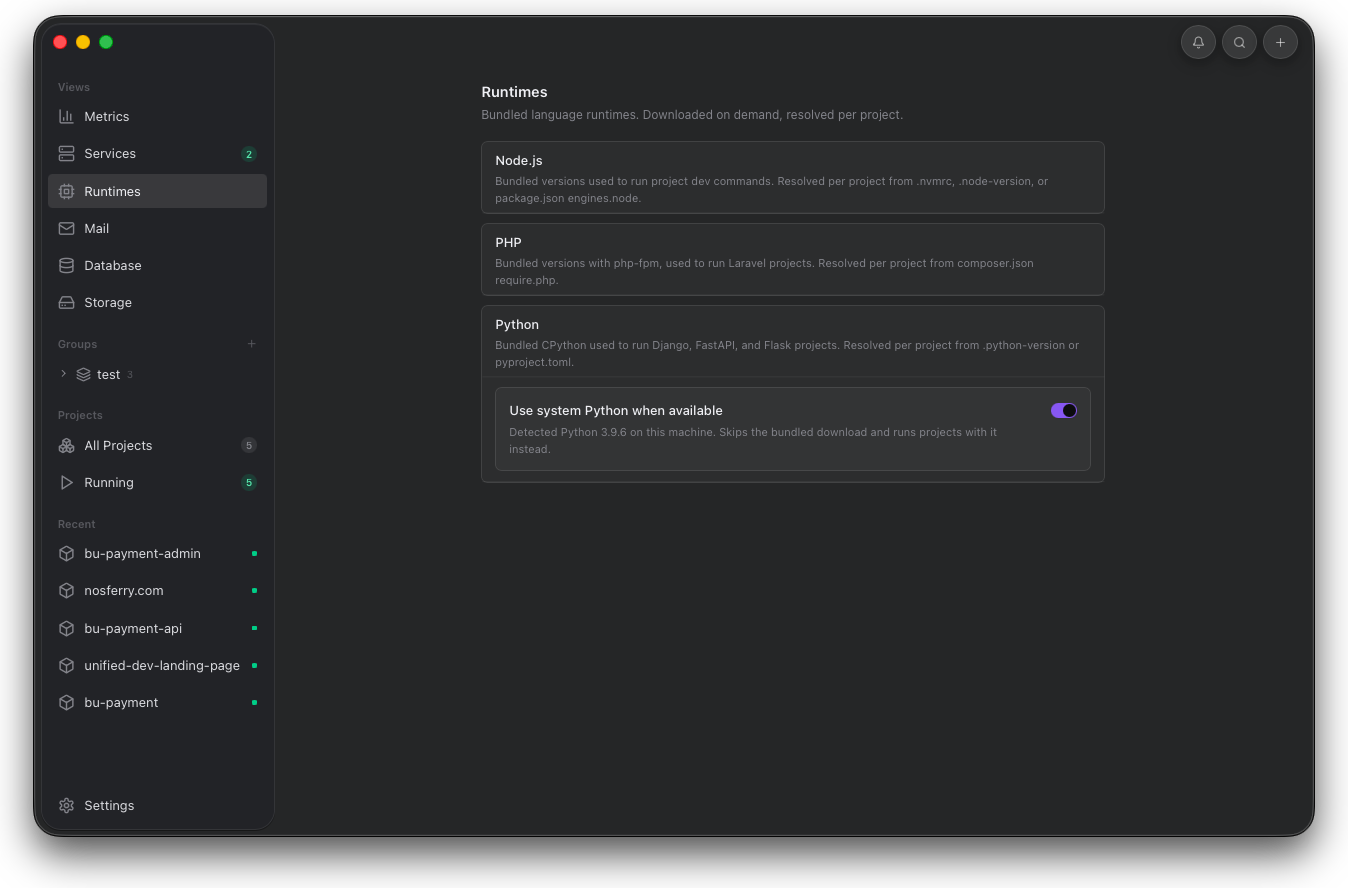
Use Runtimes before blaming project code for command failures. Version selection often explains install, build, and start errors.